
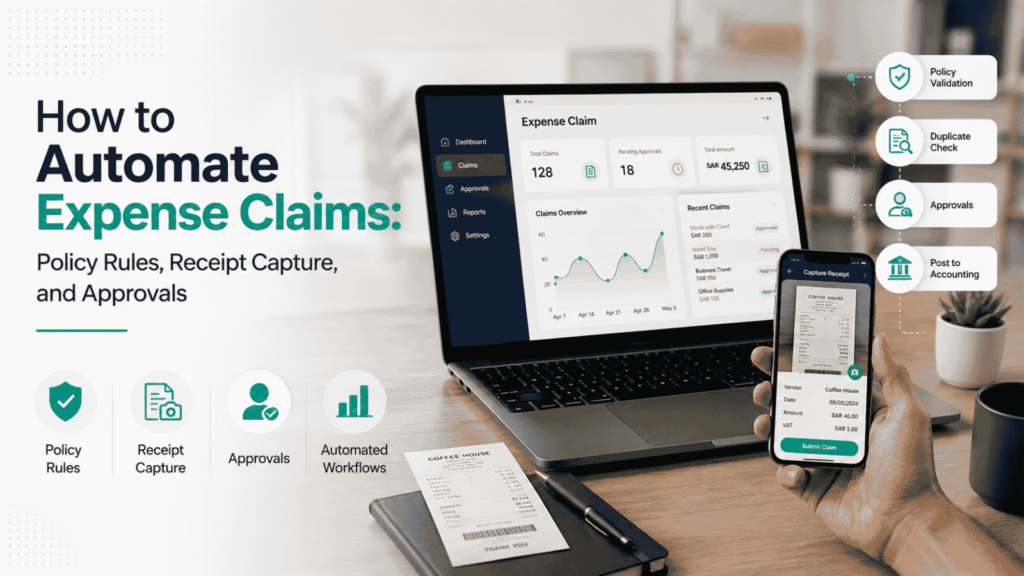
Most expense processes don’t break down because employees are careless. They break down because the process was never really a process — it’s a receipt in WhatsApp, a claim in an email, a manager who forgets to approve until finance chases them, and a spreadsheet someone reconciles at month-end when everything arrives at once. Automating that mess isn’t primarily a software decision. It’s a design decision: what rules can actually be enforced automatically, who has to approve what, and what happens the moment something doesn’t fit the rule.
This guide walks through how to automate expense claims properly — the policy rules that make automation possible, how receipt capture actually works, how approval routing should be structured, and where Saudi VAT and ZATCA recordkeeping fit into the process.
Quick Answer: What Is Expense Claim Automation?
Expense claim automation is software-driven handling of the reimbursement lifecycle — receipt capture, policy validation, duplicate detection, approval routing, and posting to accounting — so that clean claims move through with minimal manual touch while anything unusual is flagged for a person to review. It doesn’t remove approvals. It removes the repetitive checking that currently eats a finance team’s time before an approval decision even gets made, and it produces the audit trail that manual, email-based processing usually can’t.
The Expense Automation Workflow at a Glance
- Employee submits a claim and captures the receipt
- OCR extracts vendor, date, amount, and tax data
- The system checks the claim against policy rules
- Duplicate and fraud checks run automatically
- Clean claims route to the correct approver; flagged claims go to an exception queue
- Approved claims post to the accounting system with GL and cost center coding
- Reimbursement is queued
- The audit trail — receipt, policy check, approval, posting — is retained
Why “Automating” Doesn’t Start With Software
The most common misconception is that expense software replaces the need for review. It doesn’t. What it does is enforce the policy rules you’ve already defined, capture the data accurately, and put in front of a human only the claims that actually need judgment.
That only works if the policy rules exist in a form software can check. “Spend reasonably” isn’t a rule — it’s a sentiment. A rule looks like: meals capped at a fixed daily amount, receipts mandatory above a set threshold, certain merchant categories blocked or flagged, and a defined limit for mileage claims. If a policy can’t be written as a yes/no check, it can’t be automated — it will either get ignored by the system or get flagged constantly, which defeats the point.
This is also why buying software before mapping the current process is the single most common failure mode. Automation scales whatever process you feed it. A vague policy scaled by software is just vague, faster.
Signs Your Business Is Ready for Expense Automation
There’s no fixed employee-count or claim-volume threshold for this — it depends more on how much the current process is costing you in time and errors. A few reliable signals:
- Claim volume has outgrown what one person can track — finance is spending real hours each week just chasing receipts and chasing approvers
- Reimbursements are visibly delayed — employees are asking “where’s my claim” often enough that it’s a recurring conversation, not an occasional one
- Approvals stall in inboxes — claims sit for days because there’s no defined escalation, just hope that someone eventually checks their email
- The process still runs on spreadsheets and email threads — with no single place to see what’s submitted, approved, or paid
- Finance is doing manual data entry — retyping vendor names, amounts, and dates that already exist on a receipt image
One or two of these usually means a process fix is enough. Several together, especially as headcount grows, is the point where manual tracking stops scaling and a structured, automated workflow starts paying for itself.
How the Automated Expense Workflow Actually Works
1. Receipt capture and OCR. An employee photographs a receipt through a mobile app. Optical character recognition extracts the vendor name, date, amount, and — critically for Saudi businesses — the VAT amount, rather than someone typing it in later.
2. Policy validation. The extracted data is checked against the coded policy: is this within the daily meal allowance, does this merchant category require pre-approval, is a receipt present when the policy requires one above this amount.
3. Duplicate detection. The system compares vendor, date, and amount against previously submitted claims to catch the same receipt submitted twice — whether by mistake or otherwise.
4. Approval routing. Claims that pass validation route automatically to the correct approver based on the delegation of authority. Anything flagged goes to a separate exception queue instead of sitting in the same queue as everything else.
5. Accounting and reimbursement. Once approved, the claim maps to the correct GL code and cost center and syncs with the accounting system — no separate journal entry required — and is queued for reimbursement.
The reason this sequence matters more than any single feature: each stage narrows what the next stage has to deal with. By the time a claim reaches a manager, it’s already been checked for basic policy compliance and duplication — the approver is making a judgment call, not doing data entry.
Manual vs. Automated Expense Processing, Stage by Stage
| Stage | Manual process | Automated process |
|---|---|---|
| Receipt collection | Email, WhatsApp, or a physical folder | Mobile capture with OCR at the point of spend |
| Policy check | Finance reviews each claim by eye | Rules checked automatically against the coded policy |
| Approval routing | Email chains, no defined escalation | Routed by delegation of authority, with automatic escalation |
| Duplicate checks | Caught only if someone happens to notice | Cross-checked automatically against prior claims |
| GL/cost center coding | Manual journal entry | Mapped and synced automatically on approval |
| Audit trail | Scattered across inboxes and folders | Centralized — receipt, check, approval, and posting in one record |
Who Approves What in an Automated Expense Process
Automation routes the claim. It doesn’t decide who’s accountable for approving it — that’s a structure you define, usually called a delegation of authority.
| Activity | Typical owner |
|---|---|
| Standard claim under policy limits | Direct manager |
| Claim above a defined threshold | Department head or finance controller |
| Policy exception (missing receipt, over-limit spend) | A named exception owner — usually finance |
| Final GL/cost center coding review | Finance |
| Reimbursement release | Finance or an authorized approver |
| Policy rule changes | Finance leadership, with input from the relevant department |
Smaller businesses often collapse several of these rows into one or two people. What matters is that each row has a named owner — “the manager will look at it eventually” is exactly the ambiguity that creates approval bottlenecks.
Policy Rules That Should Be Automated
A policy is only automatable if it can be written as a specific, checkable rule. The categories worth encoding first:
- Spending limits — a fixed daily or per-claim cap for meals, accommodation, and incidentals
- Receipt requirements — a clear rand above which a receipt is mandatory, and what counts as acceptable documentation below it
- Approval thresholds — the exact amount at which a claim needs a second-level approver instead of just the direct manager
- Merchant category restrictions — categories that are blocked outright (entertainment beyond a defined scope, for instance) versus categories that just require a note or pre-approval
- Mileage and travel rules — a fixed rate per kilometer, and what documentation supports it
If any of these are still handled as a judgment call rather than a written rule, that’s the gap to close before automation — not a gap automation will close on its own.
How Receipt Capture Actually Works
This is the part most competing guides gloss over as “just take a photo.” In practice, a working receipt capture setup handles a few specific things:
- Mobile capture at the point of spend — the employee photographs the receipt when the expense happens, not days later from memory
- OCR extraction — vendor, date, amount, and VAT are read from the image rather than typed
- Confidence flagging — a blurry or partial receipt gets flagged for manual confirmation rather than silently accepting a bad OCR read
- A defined missing-receipt path — for the rare case where a receipt is genuinely lost, a standardized substitute (a declaration form, a manager confirmation) rather than an ad hoc email exchange each time
OCR handles the data entry. It doesn’t handle whether the expense is allowed — that’s the policy validation step, and treating receipt capture as “the whole automation” is one of the more common ways implementations underdeliver.
How Automated Systems Catch Errors and Fraud
Error and fraud prevention in expense automation comes from a handful of specific, layered checks rather than one clever feature:
Point-of-entry validation. A claim can’t be submitted without required fields — a project code, a legible receipt, a category — rather than finance discovering the gap after submission.
Duplicate detection. Vendor, date, and amount are cross-checked against prior claims, catching both accidental double submission and deliberate resubmission.
Threshold and pattern flags. A claim that’s unusually high for the category, or a pattern of just-under-the-limit submissions, gets routed for review instead of processed automatically.
Separation between submission and approval. The person submitting a claim isn’t the person releasing reimbursement — a basic control that a lot of manual, email-based processes quietly skip.
Audit trail. Every claim retains its receipt image, the policy check result, who approved it, and when it posted — so the record can be reconstructed later without relying on anyone’s memory.
None of this makes fraud impossible. It makes the obvious and repeatable forms of it — duplicate submissions, missing documentation, unauthorized spend that slips through because nobody checked — much harder to get past the system unnoticed.
Where Expense Claims Actually Get Delayed
Software rarely causes the delay. The usual culprits:
- Missing or unclear receipts — a claim finance can’t process until documentation shows up
- Approval bottlenecks — a manager who doesn’t review claims promptly, especially when the chain of who-approves-what isn’t clearly defined
- Inconsistent VAT treatment — uncertainty over which expenses qualify for VAT recovery, creating manual review and correction after the fact
- Month-end batching — employees holding onto claims and submitting everything at once, overwhelming finance right when they’re also trying to close the books
Each of these is fixable with a process change, not necessarily a software feature — though a system that enforces submission deadlines and auto-escalates stalled approvals makes the fix stick.
Practical Controls for Error Prevention
- Enforce required fields at submission — no project code, no legible receipt, no submission
- Set up a named exception queue — a specific person, usually a finance controller, owns anything flagged
- Standardize the missing-receipt procedure — a consistent declaration process rather than a one-off email each time
- Automate escalation — a reminder after 48 hours of an approval sitting untouched, with automatic escalation to a senior approver if it’s still pending after that
Expense Compliance in Saudi Arabia: ZATCA and VAT
Expense automation in Saudi Arabia has to hold up against how the Zakat, Tax and Customs Authority (ZATCA) expects records and VAT to be handled — this sits alongside the operational workflow, not instead of it.
Recordkeeping. Digitized receipts and expense records need to be retained and structured in a way that supports ZATCA’s recordkeeping and e-invoicing expectations, rather than existing only as an image attached to an email.
VAT recovery. The automated workflow should separate the base expense amount from the VAT component at the point of capture, so the correct tax coding is applied before the claim syncs to the accounting system — not corrected manually afterward.
Integration with local accounting systems. Where the expense platform connects natively with the bookkeeping system in use — whether that’s Wafeq, Zoho Books, or a larger ERP — GL codes and cost centers stay aligned without someone re-entering the same data as a manual journal entry.
Audit readiness. The practical test isn’t whether records exist — it’s whether they can be pulled together quickly if ZATCA or an internal auditor asks. A claim that has its receipt image, the policy check it passed, the approval, and the accounting entry all linked in one place answers that request in minutes. A claim reconstructed from an email thread and someone’s memory doesn’t.
This isn’t a substitute for guidance from a qualified tax advisor on a specific business’s VAT position — treat it as the operational shape of the requirement, and confirm current ZATCA guidance for anything that affects an actual filing.
What Expense Automation Cannot Fix
Worth stating plainly: automating a broken expense process makes the same problems move faster, not disappear. A policy that was never actually written down doesn’t get clearer because software is now involved — it just means the system has nothing to check against, and either everything gets flagged or nothing does.
The same goes for approvals. If there was never a clear answer to “who approves this,” automation doesn’t invent one. It just automates the ambiguity — routing claims to an approver who was never actually told they’re the approver.
And rigid, all-or-nothing rules tend to backfire. A policy that rejects every edge case outright, instead of routing it to a person, pushes employees toward workarounds — submitting expenses under a different category, splitting claims, or just not claiming small legitimate costs. A policy with a defined exception path holds up better than one that pretends exceptions don’t happen.
The Expense Automation Readiness Checklist
Before implementing any expense software, this is worth having in place first:
- [ ] Spending limits for travel, meals, mileage, and accommodation are documented — not just understood informally
- [ ] A delegation-of-authority matrix defines exactly who approves what, at which financial thresholds
- [ ] The chart of accounts is mapped to expense categories, ready for GL and cost center coding
- [ ] An exception-handling protocol exists for missing receipts and policy violations, with a named owner
- [ ] Baseline metrics are recorded — current processing time, rejection rate, hours spent per claim — so the impact of automation can actually be measured
Key Metrics to Measure After Automation
The baseline you record before rollout only matters if you track the same numbers afterward. The ones worth watching:
- Approval cycle time — how long a claim actually sits between submission and approval decision
- Reimbursement cycle time — the full span from submission to payment, not just approval
- Rejection and exception rate — what share of claims get flagged, and whether that rate is falling as policies get clearer
- Duplicate claims caught — a signal the detection layer is actually doing its job
- Finance hours spent per claim — the clearest measure of whether manual checking has actually gone down
These don’t need a dashboard to start — a monthly count against the baseline is enough to know whether the automation is doing what it was meant to do, or whether a specific stage still needs attention.
Getting There: What Implementation Involves
- Map the current process end to end, including every informal workaround currently in use
- Write down the policy rules in checkable, binary form
- Define the delegation of authority and the exception-handling owner
- Configure the system’s policy engine, GL mapping, and approval routing to match
- Test against a batch of recent real claims to compare outcomes against the manual process
- Run in parallel for at least one cycle before retiring the old process entirely
- Track the baseline metrics from the readiness checklist against the same metrics post-rollout
For a business whose expense process still runs on the same informal footing as its purchasing and payroll approvals, this kind of process design is often what needs to happen alongside — not after — a broader look at approval SOPs for purchasing, expenses, and payroll. Automating one workflow while three others stay undocumented usually just moves the chaos next door.
Frequently Asked Questions
Digital receipt capture via OCR, automated policy validation, duplicate detection, approval routing based on delegation of authority, and integration with accounting for GL coding and reimbursement.
As specific, binary checks — a fixed daily limit, a receipt threshold, a defined approval amount — rather than general guidance. A rule that can’t be answered yes or no can’t be automated.
It should be flagged and routed to a named exception owner for review, not outright rejected. Routing to a person preserves control without forcing every edge case into a workaround.
An employee photographs the receipt through a mobile app; OCR extracts vendor, date, amount, and VAT. Unclear or low-confidence scans should be flagged for manual confirmation rather than silently accepted.
Through cross-checking vendor, date, and amount against previous submissions, flagging unusual thresholds or patterns, and separating who submits a claim from who releases reimbursement.
A properly configured workflow extracts the VAT amount separately from the base expense at capture, applying correct tax coding before the claim syncs to the accounting system — supporting ZATCA-aligned recordkeeping and VAT recovery.
Anything outside policy limits, involving a new or unusual merchant category, or missing required documentation should route to a person — automation should narrow what needs review, not eliminate the review itself.
Yes. Software enforces whatever process it’s given. An undocumented policy or unclear approval chain doesn’t improve by being automated — it just runs into the same ambiguity faster.
Smaller businesses often benefit as much or more — a founder or a two-person finance team doesn’t have the bandwidth to manually chase receipts and approvals, and a lightweight automated workflow can substitute for headcount they don’t have yet.
Receipt capture, policy validation, and approval routing usually deliver the biggest win first — they remove the highest volume of manual checking. GL/cost-center coding and reimbursement syncing are the natural next step once those three are working reliably.
Only partially. Automation enforces whatever rules it’s given — a vague or undocumented policy just means more claims get flagged as exceptions, or nothing gets flagged at all. The policy needs to be specific enough to check before automation adds much value.
Most set up a defined exception path — a standardized declaration or manager confirmation — rather than leaving it to an ad hoc email exchange each time. The point is a consistent process, not a blanket rule that either accepts anything or rejects everything.
It depends on your internal approval rules rather than the software itself. Automation shortens the timeline mainly by routing claims immediately and auto-escalating anything left pending, rather than by changing how long a person takes to actually review one.
Where to Go From Here
Automating expense claims works when the policy, approval ownership, and exception handling are defined clearly enough for software to enforce them. Skip that step and the automation just processes an undefined process faster — which usually means the same chaos, with a nicer interface.
If your expense claims are still moving through email, WhatsApp, and spreadsheets, the useful starting point isn’t a shortlist of expense software. It’s mapping what your policy and approval chain actually are today, including the parts nobody’s written down.
Talk to Syneffo about reviewing your current expense workflow and approval process before deciding what to automate and how. If you’re not ready for a full review yet, start with the readiness checklist above — working through it honestly will tell you most of what a first conversation would.
Related reading: SOPs for company setup — approvals, purchasing, expenses, and payroll | How automated bookkeeping applies rules and approvals | Saudi SME accounting automation guide | KSA accounting software and ZATCA compliance | Month-end close automation checklist | Day-one compliance and finance governance for new KSA companies


