
Bank reconciliation rarely fails because nobody’s checking the numbers. It fails because the checking never really finishes — a batch deposit that doesn’t map cleanly to invoices, a wire fee that shrinks a payment by a few riyals, a transfer sitting in the bank feed with no reference anyone recognizes. Reconciliation software gets pitched as the fix, but for a controller who’s actually accountable for the cash balance, “fully automated” is the part that raises a flag, not the part that sells it. If the system matches the wrong things, the audit trail breaks quietly, and nobody notices until it’s a problem.
This guide covers how automated bank reconciliation actually works — the matching logic, the controls that have to stay in place, the transaction types that reliably cause trouble, and where Saudi audit and VAT traceability expectations fit into the process.
Quick Answer: What Is Automated Bank Reconciliation?
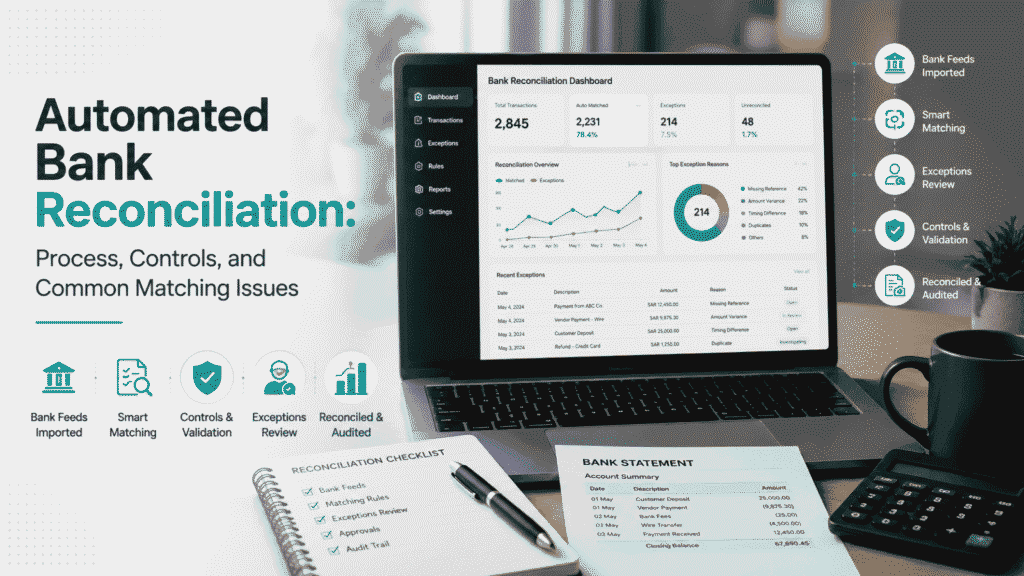
Automated bank reconciliation uses software to pull bank transaction data — usually through a direct feed — and compare it against the general ledger using predefined matching rules. Transactions that meet the rules with high confidence clear automatically. Everything else — timing gaps, missing references, partial payments, fee-adjusted amounts — gets routed to an exception queue for a person to resolve.
The Reconciliation Workflow at a Glance
- Bank feed connects and pulls transaction data
- Data is standardized — messy bank text gets normalized for comparison
- Transactions are checked against the ledger using matching rules
- High-confidence matches clear automatically
- Everything else routes to an exception queue with a reason attached
- A person investigates, resolves, or overrides — with the reason recorded
- The period is finalized and locked, creating a permanent audit record
Why “Fully Automated” Is the Wrong Goal
The most common misunderstanding about reconciliation automation is that it’s meant to remove people from the process. It isn’t. What it’s built to do is handle the predictable, high-volume transactions — recurring rent, standard vendor payments, payroll runs that hit the bank the same way every cycle — automatically, and put everything ambiguous in front of a person with enough context to resolve it quickly.
The part that’s easy to get wrong isn’t whether to automate — it’s how tightly the matching rules are set. Looser tolerances mean more transactions clear automatically, which looks like progress until a forced match hides a real discrepancy. A control-first setup keeps this distinction explicit: probabilistic tools can suggest candidates from messy bank text, but a deterministic rule — an exact reference match, an amount within a defined tolerance, a date within a defined window — is what actually decides whether something closes on its own. Anything that doesn’t clear that bar becomes a named exception, not a forced match.
How the Automated Reconciliation Process Works
1. Bank feed integration. The system connects to the business’s bank accounts — via API or a secure data connection — and pulls transaction data directly, without someone downloading and uploading a statement file each cycle.
2. Standardization. Incoming bank data is often messy — inconsistent formatting, truncated descriptions, generic labels. This stage extracts whatever identifiers exist (amounts, dates, partial references) and normalizes them into a form the matching engine can actually compare against ledger entries.
3. Matching. Transactions are compared against the general ledger on amount, date proximity, and reference codes where available. Rules-based logic handles the deterministic part; where bank text is ambiguous, the system can rank likely candidates — but ranking a candidate isn’t the same as clearing it.
4. Exception flagging. Anything that doesn’t meet the matching criteria — a partial payment, a duplicate-looking amount, a missing document — gets routed to an exception queue instead of being forced into a match or silently dropped.
5. Human review and resolution. Finance staff investigate flagged items: requesting a missing remittance advice, splitting a bulk payment across multiple invoices, or confirming a timing difference will clear on its own. The system records who made the call and why.
6. Finalization and lock. Once the period’s items are all matched or explained, the reconciliation is finalized and locked — creating a permanent record of what matched, what was overridden, and by whom.
How Matching Rules Actually Work
A matching rule is really just a set of conditions a transaction has to satisfy before the system will clear it without a person looking at it. The fields typically in play:
- Amount — either an exact match, or a match within a defined tolerance
- Date window — how many days apart the bank transaction and ledger entry can be and still count as the same event
- Reference or description text — an invoice number, a payment reference, or a recognizable pattern in the bank’s description field
The judgment call is in how tight these are set. A date window that’s too wide starts matching unrelated transactions that happen to land close together. An amount tolerance that’s too loose forces matches on things that actually have a real discrepancy underneath. The rule needs to be exact where precision matters and flexible only where there’s a known, explainable reason for variance — a wire fee, for instance, not “close enough.”
Common Matching Types and How They’re Typically Handled
Not every match is the same shape. A useful matching engine treats each of these differently rather than forcing everything through one rule:
| Match type | What it looks like | Typical automated treatment |
|---|---|---|
| One-to-one | A single bank line matches a single ledger entry exactly | Auto-clears when amount, date, and reference all align |
| One-to-many | One ledger entry (e.g., a batched vendor payment) splits across multiple bank lines | Auto-clears only if all components are identifiable; otherwise routed for review |
| Many-to-one | A single bulk deposit corresponds to several invoices | Rarely auto-cleared without remittance detail — usually an exception by design |
| Tolerance match | Amount differs by a documented, explainable margin (a wire fee, for example) | Auto-clears with the variance posted to a predefined account |
| Timing match | Same transaction, but dated days apart across systems | Held briefly within a defined window, then auto-clears or escalates |
| Duplicate candidate | Two transactions with the same or near-identical amount and date | Never auto-cleared — flagged for confirmation before either is closed |
| Unidentified transaction | No usable reference, amount, or pattern to compare against | Routed straight to the exception queue |
Common Matching Problems and Why They Happen
Even a well-configured system runs into the same handful of transaction patterns reliably causing trouble:
- Many-to-one matching — a single bulk deposit corresponding to dozens of individual customer invoices, often with no remittance advice attached to say which invoices it covers
- Timing differences — a check that takes days to clear, or an invoice recorded in the accounting system well before the actual payment lands in the bank feed
- Bank fees and deductions — wire fees, FX conversion differences, or chargebacks that shrink the net deposit below the gross invoice amount
- Missing or generic identifiers — a customer payment that arrives labeled “Transfer” instead of carrying an invoice number, leaving the system nothing specific to match against
None of these are failures of the software. They’re the actual shape of how money moves — which is exactly why a reconciliation process built entirely around clean, exact matches breaks down the moment real transactions show up.
Tolerance Design: Handling Fees and Small Variances Correctly
This is where a lot of “automation didn’t work” complaints actually originate — not in the matching engine, but in how tolerances were set up in the first place.
The fix isn’t a blanket rule that accepts anything “close enough.” It’s a specific one: if a payment is short by an amount consistent with a known cost — a standard wire fee, for example — the system can auto-match the invoice and automatically post the difference to a predefined bank charges account, rather than leaving the whole transaction unmatched or forcing it closed without explanation. A payment that’s short by an amount with no such explanation should stay in the exception queue, not get waved through because it’s “only” a small variance.
The distinction matters: a tolerance rule with a defined reason is a control. A tolerance rule that just widens the acceptable range to reduce exception volume is the thing that creates hidden errors.
What a Structured Exception Queue Actually Needs
An exception queue that just says “unmatched” isn’t useful — it tells a reviewer that something’s wrong without telling them what to do about it. Each item needs four things attached:
| Field | What it captures |
|---|---|
| Reason | Why the match failed — missing evidence, conflicting candidates, amount variance |
| Evidence | What data was available, and what specifically prevented an automatic match |
| Next action | Whether to wait for a follow-up bank entry, request a document, or escalate for manual review |
| Owner | The specific person responsible for resolving it |
Without a named owner and a defined next step, exceptions don’t get resolved — they accumulate until someone clears a backlog right before month-end close, which defeats the point of automating in the first place.
Automated vs. Manual Bank Reconciliation
| Manual reconciliation | Automated reconciliation | |
|---|---|---|
| Bank data source | Downloaded statement, re-entered or pasted | Direct feed, pulled automatically |
| Matching | Person checks each line by eye | Deterministic rules clear high-confidence matches |
| Exceptions | Mixed in with everything else, no separate queue | Isolated into a queue with reason and owner attached |
| Evidence for a match | Rarely recorded beyond a checkmark | Rule and decision logged automatically |
| Audit trail | Depends on whoever did the work remembering to note it | Built into the system by default |
| Volume handling | Gets slower and more error-prone as transaction count grows | Scales without added review time for high-confidence items |
| Where human time goes | Spread evenly across every transaction | Concentrated on the exceptions that actually need judgment |
Key Metrics to Track After Automating Reconciliation
Once a reconciliation process is automated, these are the numbers worth watching to know whether it’s actually working as designed — not just running:
- Auto-match rate — the share of transactions clearing without human intervention
- Exception rate — the share routed to the queue, and whether it’s trending down as rules mature
- Exception aging — how long items sit unresolved, not just how many exist at any given moment
- Average resolution time — how quickly a flagged item gets closed once someone picks it up
- Manual override rate — how often a person overrides what the system suggested, which can signal a rule that’s miscalibrated
- Duplicate or false-positive rate — matches that had to be reversed after the fact
- Unreconciled items at period close — the number and value still open when the books lock, which is the figure auditors will ask about first
A high auto-match rate looks good on a dashboard, but it only means something if exception aging and override rates stay low too — otherwise it’s a sign tolerances were loosened to hit a number, not that the process actually improved.
How to Evaluate Bank Reconciliation Software
For a business comparing tools rather than building a process internally, the differentiators that actually matter are:
- Direct bank connectivity for the specific banks in use, not just generic file import
- Configurable matching rules — amount tolerance, date windows, and reference logic that can be tuned per account, not a fixed black-box algorithm
- A structured exception queue with reason codes, ownership assignment, and aging visibility, not just an “unmatched” list
- A visible audit trail for every automatic match and every manual override, not just a final reconciled balance
- ERP and accounting system integration that fits the systems already in use, rather than requiring a parallel process
- Reporting on the metrics above — auto-match rate, exception aging, override rate — built in rather than requiring a separate export to calculate
Common Mistakes in Reconciliation Automation Rollouts
- Automating before mapping data sources — connecting bank feeds without first standardizing the chart of accounts and naming conventions the matching engine will rely on
- Setting tolerances too loose — wide date windows or generous amount thresholds that create false-positive matches instead of genuine ones
- Leaning on probabilistic matching alone — using AI-suggested candidates as if they were confirmed matches, instead of gating automatic closure behind deterministic rules
- Leaving the exception workflow undefined — no named owner, no time limit on how long an item can sit open before it escalates
- Allowing reconciled periods to be edited without a trail — a “fix” applied after lock that isn’t recorded as an override defeats the audit trail the whole process is meant to protect
Bank Reconciliation and Saudi Compliance
Reconciliation isn’t a distinct ZATCA filing requirement on its own — there’s no separate “reconciliation return.” What matters is that bank statements sit inside the broader record-keeping and VAT reporting framework ZATCA expects accounting systems to maintain, and a reconciled, well-documented set of books is what makes that framework hold up under review.
VAT traceability. Reconciled bank data needs to tie back to the accounting records that support VAT reporting — every inflow and outflow should have a traceable source document behind it, not just a cleared bank line with no context. Bank statements are treated as relevant supporting records in that trail, alongside invoices and ledger entries.
Audit readiness. External auditors testing internal controls want to see more than a reconciled balance — they want evidence of how it got reconciled. An automated system’s decision record, showing which rule cleared a transaction and whether a person overrode it, is exactly that evidence. A spreadsheet that just shows a final balance doesn’t carry the same weight.
Local banking and ERP integration. For the reconciliation engine to stay useful day to day, it needs to connect natively with the banking platforms and accounting or ERP systems actually in use — otherwise the “automation” is really just a faster manual import, with the same synchronization risk as before.
Where e-invoicing fits. ZATCA’s e-invoicing (FATOORA) integration is a separate requirement from reconciliation, but it feeds the same financial data trail — invoices generated under Phase 2 integration should tie back to the payments that eventually clear in the bank feed. It’s not something a reconciliation process needs to manage directly, but a business already dealing with e-invoicing integration will find that a clean reconciliation process makes cross-checking invoice-to-payment records considerably easier at audit time.
This is the operational shape of the requirement, not a substitute for guidance from a qualified auditor or tax advisor on a specific business’s position — confirm current ZATCA expectations for anything that affects an actual filing or audit response.
What Automation Cannot Fix
Automating a reconciliation process that was never really controlled just produces the same errors faster, with a cleaner interface hiding them. A chart of accounts that was never standardized doesn’t get consistent because a bank feed is now connected — it just means the matching engine has inconsistent data to work with, and either everything gets flagged or a lot of things get force-matched incorrectly.
The same is true of ownership. If nobody was ever assigned to resolve unmatched transactions before, automation doesn’t invent that assignment — it just produces an exception queue that grows because there’s still no one accountable for clearing it. Tolerance settings loosened just to reduce flagged-item counts don’t make the underlying transactions cleaner, either — they make the reconciliation look complete while quietly burying the discrepancies a controller actually needs to see.
Reconciliation Readiness Checklist
Before turning on automated reconciliation, this is worth having in place:
- [ ] All active bank accounts and payment gateways are identified and confirmed API-ready
- [ ] The chart of accounts and entity mappings are standardized and consistent
- [ ] Deterministic matching rules — date, amount, reference — are defined and documented
- [ ] Tolerance limits for bank fees, FX differences, and rounding are documented, each with a defined reason
- [ ] An exception-handling hierarchy exists — who reviews, who approves, and how long an item can stay open before escalation
- [ ] Audit trail requirements for manual overrides are configured, not left to informal notes
Getting There: What Implementation Involves
- Map every active bank account and payment gateway, and confirm which support a direct feed
- Standardize the chart of accounts and naming conventions before connecting anything
- Define matching rules and tolerance thresholds, each with a documented rationale
- Set up the exception queue structure — reason, evidence, next action, owner
- Test against a completed prior period to compare automated results with the manual reconciliation
- Run in parallel for at least one close cycle before retiring the manual process
- Review exception volume and resolution time after the first few cycles, and tighten or loosen rules based on what’s actually showing up
For a business whose reconciliation still depends on someone exporting statements into a spreadsheet each month, this kind of control design connects directly to the same standardization work that month-end close automation depends on — reconciliation delays are one of the most common reasons a close cycle slips past its deadline.
Frequently Asked Questions
Manual reconciliation means exporting bank statements and cross-referencing them against the ledger by hand, usually in a spreadsheet. Automated reconciliation ingests bank data through a feed, applies matching rules to clear transactions instantly, and isolates anything ambiguous for human review.
They’re predefined criteria — exact or tolerance-based amount matching, a date window, and reference or description matching — that determine whether a bank transaction can safely be cleared against a ledger entry without a person checking it.
Through documented tolerance rules. If a payment is short by an amount consistent with a known fee, the system can auto-match the invoice and post the variance to a bank charges account automatically. Anything without a clear, documented explanation should route to the exception queue instead.
Because automation can’t safely resolve ambiguity on its own. Partial payments, missing references, and duplicate-looking amounts need human context — the exception queue is what keeps those from being forced into an incorrect match or silently dropped.
Transactions with no clear reference, amounts with unexplained variance, first-time counterparties, and anything flagged as a potential duplicate — these need a person’s judgment, not a rule’s best guess.
Unresolved reconciling items are one of the most common reasons close slips past its deadline. A cleared, well-documented reconciliation going into close means finance isn’t chasing discrepancies while also trying to finalize the books.
No — smaller businesses benefit from the same control structure, often with fewer accounts to manage. The value isn’t purely about volume; it’s about having a defined, auditable process instead of an ad hoc one, which matters at any size.
No, and treating that as the goal is where most rollouts run into trouble. A well-designed system automatically clears transactions that meet clear, deterministic rules, but ambiguous items — partial payments, unexplained variances, first-time counterparties — need a person’s judgment. The realistic target is minimizing what needs review, not eliminating review entirely.
It depends heavily on transaction mix and how mature the matching rules are, so there’s no single benchmark that applies across businesses. What matters more than the raw percentage is the trend — a rate climbing as rules get tuned, alongside stable or falling exception aging and override rates, is a better signal than a high number achieved by loosening tolerances.
Where to Go From Here
Automated bank reconciliation isn’t about removing accountants from the process — it’s about shifting their time from row-by-row matching to the exceptions that actually need judgment. That only works if the matching rules, tolerances, and exception ownership are defined clearly enough for the system to enforce them consistently.
If reconciliation at your business still means someone exporting a bank statement into a spreadsheet each month, the useful starting point is mapping what your matching rules and exception process actually are today — not shortlisting software. Speak with Syneffo about reviewing your reconciliation workflow to see where the manual effort is concentrated and what a controlled, automated process would need to look like for your accounts. Syneffo’s reconciliation services and broader accounting automation work cover this kind of implementation directly, including local banking and ERP integration.
Related reading: Month-end close automation checklist | How automated bookkeeping applies rules and approvals | Saudi SME accounting automation guide | KSA accounting software and ZATCA compliance | SOPs for company setup — approvals, purchasing, expenses, and payroll | Day-one compliance and finance governance for new KSA companies | Global reconciliation services | Accounting automation


